
Metafoodx Freshness Alert: Know Exactly How Long Food Has Been on the Line
Updated: 1 day ago

For chefs and kitchen teams, managing food holding times is an important part of maintaining food quality in fast and efficient restaurant operations. During peak service periods in quick-service restaurants (QSRs), food turns over quickly and pans are often replaced before reaching their maximum hot holding or cold holding limits. While holding-time alerts can still help track slower-moving menu items, the risk of food exceeding its holding time is generally lower during busy meal periods.
The greater challenge typically occurs during off-peak hours. With fewer customers and reduced staffing levels, food may remain in holding units longer, increasing the risk of holding-time violations. Effective holding time management during slower periods helps kitchen teams preserve food quality and reduce food waste. By monitoring holding times consistently throughout the day, restaurants can improve operational efficiency while ensuring guests receive fresh, high-quality food.
That's why we built Freshness Alert: a freshness tracking tool built directly into the Metafoodx platform that handles the clock-watching so your team doesn't have to.
What is Freshness Alert?
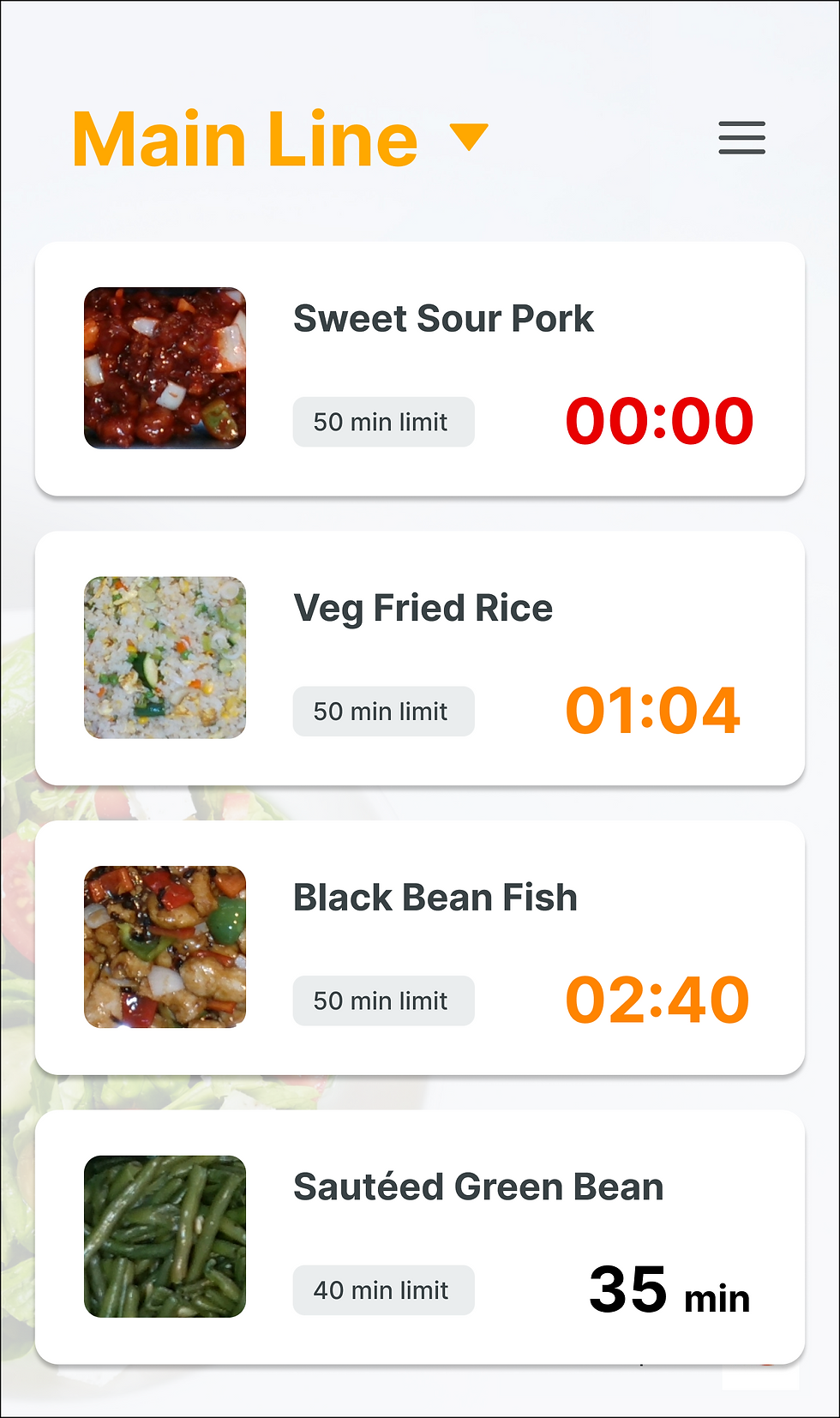
The Freshness Alert is a real-time food freshness monitoring tool that activates the moment a pan is scanned for service.
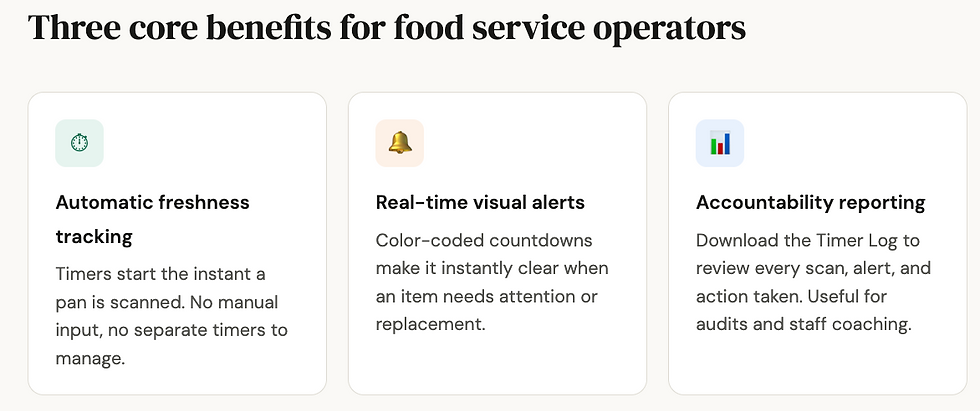
A timer starts automatically on the tablet. No buttons to press, no paper logs to fill out.
As the clock counts down, the display shifts from green to orange (under 5 minutes remaining) and then to red (time expired), giving your team a clear visual cue to replace the item.
The system tracks time on the line automatically so your team can focus on the guests.
How it Works
Enable & Configure – Share your item hold times with Metafoodx, and we'll configure them for your site.
Scan & Serve as Normal – When a pan is scanned for service, a timer starts automatically. No extra steps are required.
Watch for Color Alerts – Timers turn orange when less than 5 minutes remain and red when time expires. Alerts can be dismissed if an item is used up early or reset automatically when a new pan is scanned.
Review the Timer Log – Download the Timer Log anytime from the Metafoodx Dashboard to track scan times, temperatures, alerts, and actions taken.
Why Food Freshness Tracking Matters More Than Ever
Freshness directly impacts the guest experience. Food that sits too long can quickly lose quality, texture, and appeal, leading to inconsistent customer experiences and lower satisfaction. With automated alerts guiding timely replacement, teams can maintain higher food quality throughout service, helping ensure guests receive meals that look better, taste better, and inspire confidence in the operation.
Ready to Activate Freshness Alert?
If you're already a Metafoodx customer, enabling this feature is as simple as reaching out to our team and sharing your shelf life guidelines. We'll configure the times, and you'll be tracking freshness automatically from day one.
Related reading: What Is a Food Operations Intelligence Platform? · AI Food Waste Tracking That Cuts Guesswork · How to Reduce Overproduction in Commercial Kitchens
Metafoodx is a food operations intelligence platform that captures the food journey from prep to plate, so foodservice teams can lower food cost, produce more accurately, and prevent waste before it happens. Ready to see how we can help transform your food service operation? Book a demo with our team today.


